
Activepieces Retry Options: Resume a Failed Step or Restart?
Your flow publishes a Facebook post. The next action tries LinkedIn and fails.
Should you retry the failed action or start the whole flow again?
Starting over could publish another Facebook post. Resuming could keep old inputs when you need a change you just made.
Activepieces gives you both options. The right choice depends on what failed, whether you changed the flow, and what already happened in the destination app.
Quick Answer
Activepieces retry options let you resume a failed run or restart it using the current published flow. Retry From Failed Step keeps earlier outputs. Retry On Latest Version runs everything again. Choose based on whether the flow changed, and check the destination before repeating any action that creates a post, record or message. Official retry reference.
This guide explains documented behavior and a test setup you can reproduce. Operant Solo has not tested this exact setup on a live Activepieces instance.
What does Retry From Failed Step do?
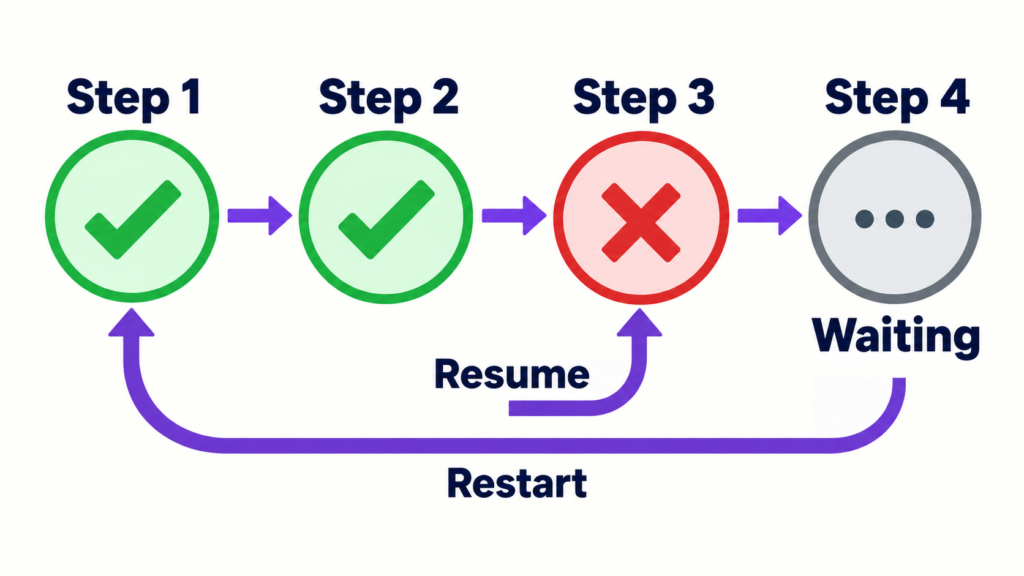
Retry From Failed Step resumes the flow at the failure while keeping previous step outputs.
Activepieces uses a saved run log during recovery. Completed steps can reuse their recorded outputs rather than execute again. Durable execution documentation.
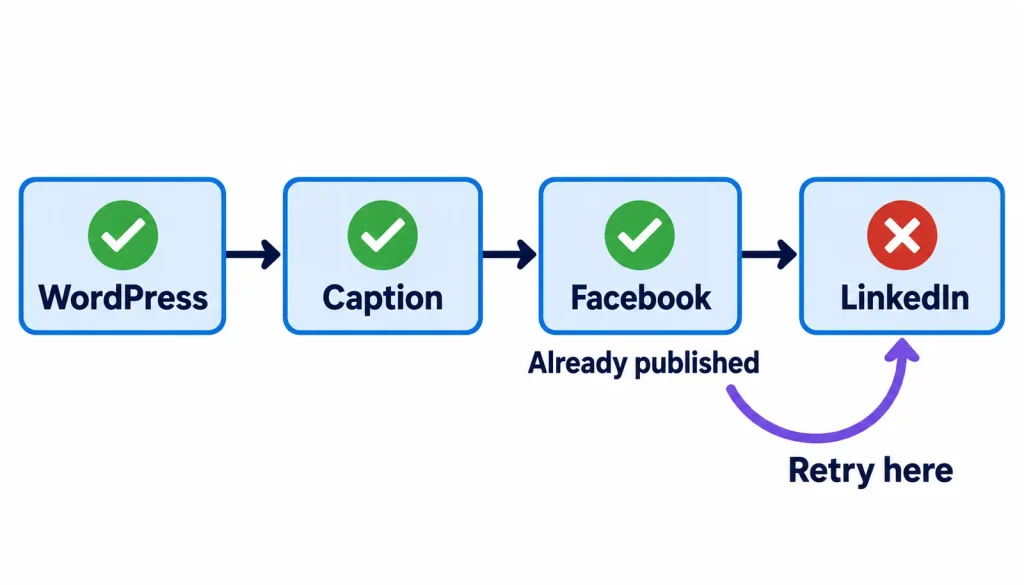
Consider this publishing flow:
- Receive a WordPress article.
- Prepare its social caption.
- Publish to Facebook.
- Publish to LinkedIn.
- Record the publishing results.
Facebook succeeds, but LinkedIn fails.
If the flow has not changed, resuming from LinkedIn is usually the better starting point. It avoids deliberately repeating the completed Facebook action.
However, check LinkedIn before retrying. If the action timed out, the post might already exist.
What does Retry On Latest Version do?
Retry On Latest Version runs the entire flow using its current published version.
Activepieces identifies this option as the way to apply flow changes when recovering a failed run. Retry feature announcement.
Suppose LinkedIn failed because you mapped the wrong field into its action.
You correct the mapping and publish the change. Running the latest version lets the retry use that fix.
But Facebook is also back in the execution path. Without a duplicate check, the flow could publish the same article again.
Before restarting, review every earlier action that creates or sends something.
Compare the Activepieces retry options
The main difference is how much work the flow repeats.
| Detail | From Failed Step | On Latest Version |
|---|---|---|
| Starts at | Failed action | Beginning |
| Earlier actions | Reuses saved outputs | Runs again |
| Published fixes | Use latest-version retry | Applies the published flow |
| Typical use | Temporary error | Changed flow |
These execution differences are documented in the retry reference and original announcement.
The practical rule is simple: check the failed action before either retry. Check earlier actions as well before a full restart.
How to choose the right retry option
A good retry decision starts with the error and the destination app.
1. Open the failed run
Find the failed run in your run history and inspect the first failed action.
Read the error and its inputs. Note which earlier actions succeeded and whether they returned a post ID, record ID or other useful reference.
The original announcement placed retry controls beside failed runs on the runs page. Your version may use a different button position or menu. Original retry announcement.
2. Check what already happened
Before repeating an action, check its destination.
For a social post, look at the account’s recent posts. For a CRM record, search using a stable identifier. For an email, inspect the provider’s delivery records where available.
This is especially important after a timeout.
3. Fix the cause
Repeating a request does not repair an incorrect field or an expired connection.
| Error | Check | Before retrying |
|---|---|---|
| Invalid input | Fields and mappings | Correct the data |
| Authentication failure | Connection and permissions | Restore access |
| Rate limit | Provider instructions | Wait as required |
| Server error | Provider and destination | Confirm retry is safe |
| Timeout | Destination records | Resolve the unclear result |
A rate limit may require waiting. A wrong field mapping requires changing the flow. Treat those as different problems.
4. Check whether you changed the flow
If the flow is unchanged and the problem was temporary, consider retrying from the failed step.
If you changed its logic or mappings, publish the fix and consider retrying on the latest version.
Saving an edit and publishing a flow are separate decisions. Confirm that the intended version is published.
5. Inspect the recovery
After retrying, check the run result and the destination app.
Confirm that the missing work completed and that earlier work was not duplicated.
A successful run status is helpful, but the final post, record or message is what matters.
Why a timeout needs a destination check
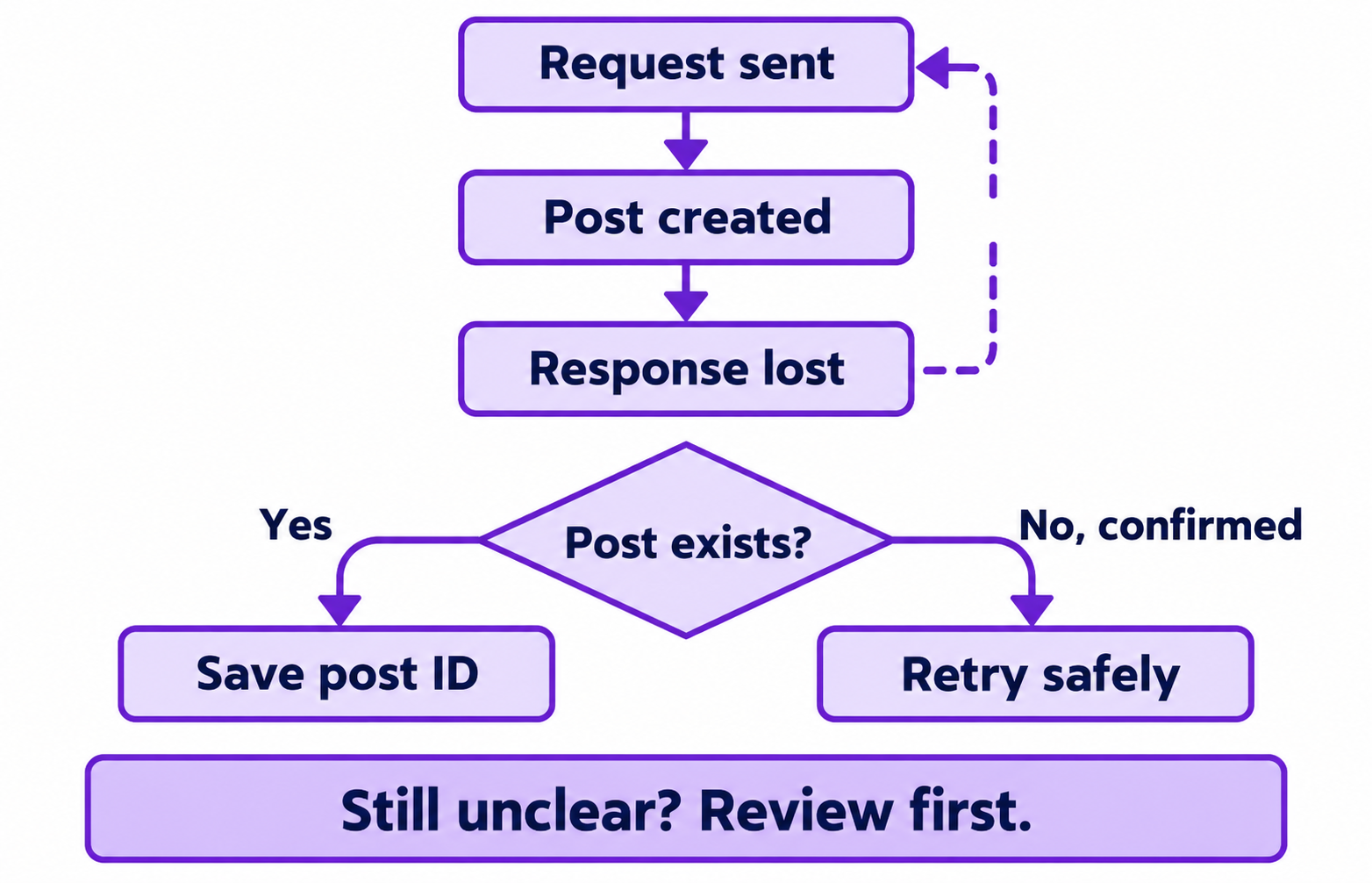
A timeout means the caller did not receive a response in time.
It does not prove that the destination did nothing.
A possible sequence looks like this:
- The flow requests a new post.
- The platform creates it.
- The response arrives too late.
- The action reports a timeout.
- A retry sends another creation request.
Without protection, the second request could create another post.
This is a possible external API failure pattern, not a claim that every Activepieces timeout causes duplicates.
Treat the result as unknown until you can check it. If the destination cannot confirm what happened, send it for review rather than repeatedly pressing retry.
How to prevent duplicate publishing
A publishing flow should remember the result for each destination separately.
One “published” label for an article cannot describe Facebook succeeding while LinkedIn fails.
Instead, save a separate record for each WordPress article, social platform and destination account. Include the WordPress site too if your flow handles more than one site.
For example, article 2233 shared to your LinkedIn company page is one publishing task. The same article shared to your Facebook Page is another.
Each record should keep:
- A stable identifier for that publishing task.
- Its current status.
- The destination’s post ID, when available.
- The number of attempts.
- The caption approved for publication.
Use clear statuses:
- Published: keep the post ID and skip creation.
- Retryable: resolve the temporary problem before another attempt.
- Unknown: check the destination first.
- Blocked: fix the input or connection.
These are suggested tracking states, not built-in Activepieces status names.
Handle overlapping runs
A basic “check whether the record exists” action can fail when two runs start together.
Both might check before either saves a result. Both then publish.
Use storage that can enforce a unique publishing identifier and claim the task in one operation. Keep that identifier the same when retrying the same intended publication.
Where the destination supports idempotency keys, follow its documentation. These keys help a service recognise repeated requests for one operation.
An arbitrary header does not provide protection if the service does not support it.
Auto Retry and Continue On Failure are different
Auto Retry repeats a failing action automatically.
Continue On Failure allows later actions to proceed despite the failure. It does not repair the failed action. Activepieces explains both settings in its error handling announcement.
Automatic retries suit actions that are safe to repeat. Be more careful with actions that publish content, send messages or create records.
Continue On Failure needs similar care.
If publishing fails but the next action marks the article as fully distributed, your records become misleading. Continue only when later actions can handle the missing result.
An alert may be appropriate. A success record is not.
How many automatic retries does Activepieces make?
The January 2024 announcement described up to four retries across roughly four minutes.
That is a historical description. Confirm the actual attempt count and timing in your installed version before relying on it. Dated Auto Retry announcement.
A simple test before using real accounts
Use a private mock endpoint to check which requests your setup repeats.
The following is a proposed test. It does not require sending real customer emails or publishing real posts.
1. Build a small flow
Create a webhook trigger followed by two HTTP actions and a final result action.
Name the HTTP actions Request A and Request B.
Configure both to send POST requests to a mock server. Use JSON as the request format. Include an operation identifier, the action name and a version marker in each request.
For the first test, use “retry-demo-001” as the identifier and “v1” as the marker.
2. Make the second action fail
Configure endpoint A to return success.
Configure endpoint B to return HTTP 503 without completing any business operation.
Disable automatic retry and continuation for this initial test. Publish the flow, trigger it and confirm that B is the failed action.
3. Retry from the failed step
Change endpoint B to return success. Leave the flow unchanged.
Retry from the failed step and inspect the server logs.
Record whether A received another request and whether B completed. Keep the actual results.
4. Test a published change
Create a separate failed run.
Change the outgoing version marker to “v2” and publish the change. Retry that run on the latest version.
Inspect the request counts and payloads at both endpoints. This shows which actions executed again and whether they used the updated version.
5. Test a timeout after acceptance
Configure B to record an accepted operation, then delay its response beyond your HTTP action’s timeout.
Check the destination record before retrying.
This reveals the difference between a request that did no work and a request that completed but lost its response.
Record your Activepieces version, action versions, timeout and retry settings alongside the results.
Costs and limits to check
A retry can repeat paid work or consume another service’s quota.
A full restart may repeat AI generation or requests to services that charge per call. Duplicate protection does not necessarily eliminate those costs.
Activepieces listed Plus at $20 per month with 10,000 monthly credits when checked on October 5, 2026. Its pricing page also describes additional credit use for AI actions. Official pricing.
The pricing page does not clearly explain every retry billing case. Check usage around your test runs rather than assuming all retries are free.
Include the destination service’s limits and charges in that check.
Who It Is For
This guide is useful for solo builders, agency operators and anyone recovering failed publishing or CRM flows.
It is especially relevant when earlier actions already succeeded or when you changed the flow to fix an error.
Who Should Avoid It
Avoid enabling unattended retries if you cannot inspect destination records or safely repeat the action.
Flows involving payments, bulk messages or irreversible changes need stronger controls before automatic recovery.
Frequently Asked Questions
Does Retry From Failed Step repeat successful actions?
Activepieces documents recovery through saved outputs, allowing completed actions to be skipped. The failed action still needs checking, particularly if its request timed out after being accepted. Durable execution documentation.
Which retry option should I use after editing a flow?
Use Retry On Latest Version when you need the current published flow to apply your fix. Review earlier actions first because the entire flow runs again. Retry reference.
Can automatic retries create duplicate posts?
They can if a creation request succeeds remotely but its response is lost. Check the destination and use supported duplicate protection before repeating the request.
Should I enable Continue On Failure?
Enable it when later actions can handle the failed action’s missing result. Avoid it when the flow would incorrectly record success or use data that was never created.
Want more practical workflow guides? Join the Operant Solo newsletter for clear walkthroughs on failed runs, duplicate prevention and automation recovery.
Subscribe: