Activepieces vs n8n: An Honest Comparison (No Fluff, Just the Truth)
So you’ve been looking at both tools and you’re stuck. Maybe you’re paying too much for Zapier and you want out. Maybe you found Activepieces first and now you’re second-guessing yourself after someone on Reddit said “just use n8n.” Or maybe you’re already on n8n and wondering if Activepieces is simpler to hand off to your team.
Either way, I’ve dug into both of them properly. Not just the marketing pages — the actual user complaints, the licensing fine print, the parts that bite you in production. Here’s what I found.
What Even Are These Tools?
Both Activepieces and n8n are workflow automation tools. You connect apps together and make them talk to each other — things like “when someone fills out this form, send them an email, add them to a CRM, and ping Slack.” The kind of stuff you’d normally have to pay a developer to build or pay Zapier way too much for.
They’re both open-source (sort of — we’ll get into that), they can both be self-hosted, and they both position themselves as the smarter alternative to Zapier.
But they’re very different tools built for very different people.
Is Activepieces Easier to Learn Than n8n?
Short answer: yes, by a pretty wide margin.
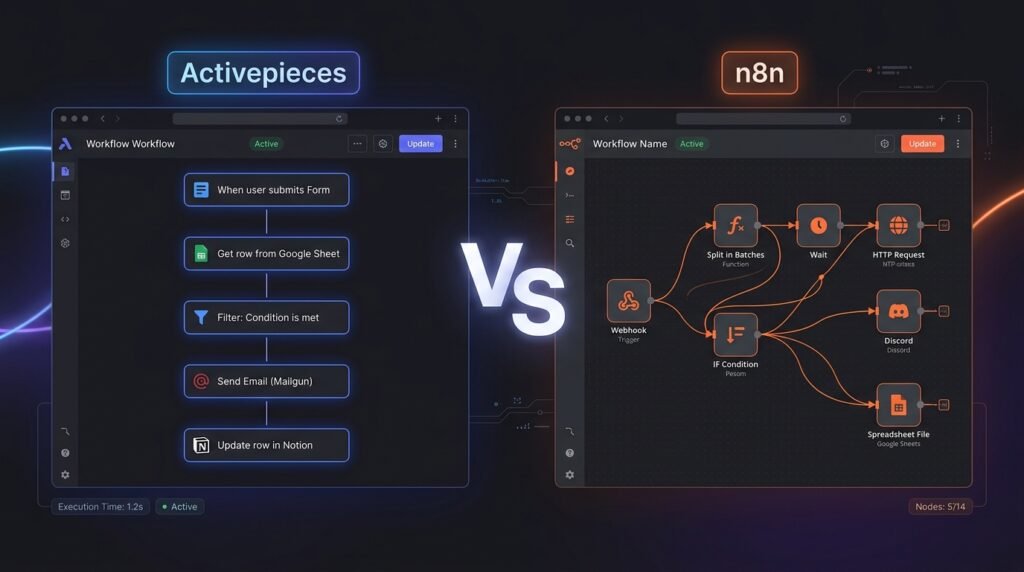
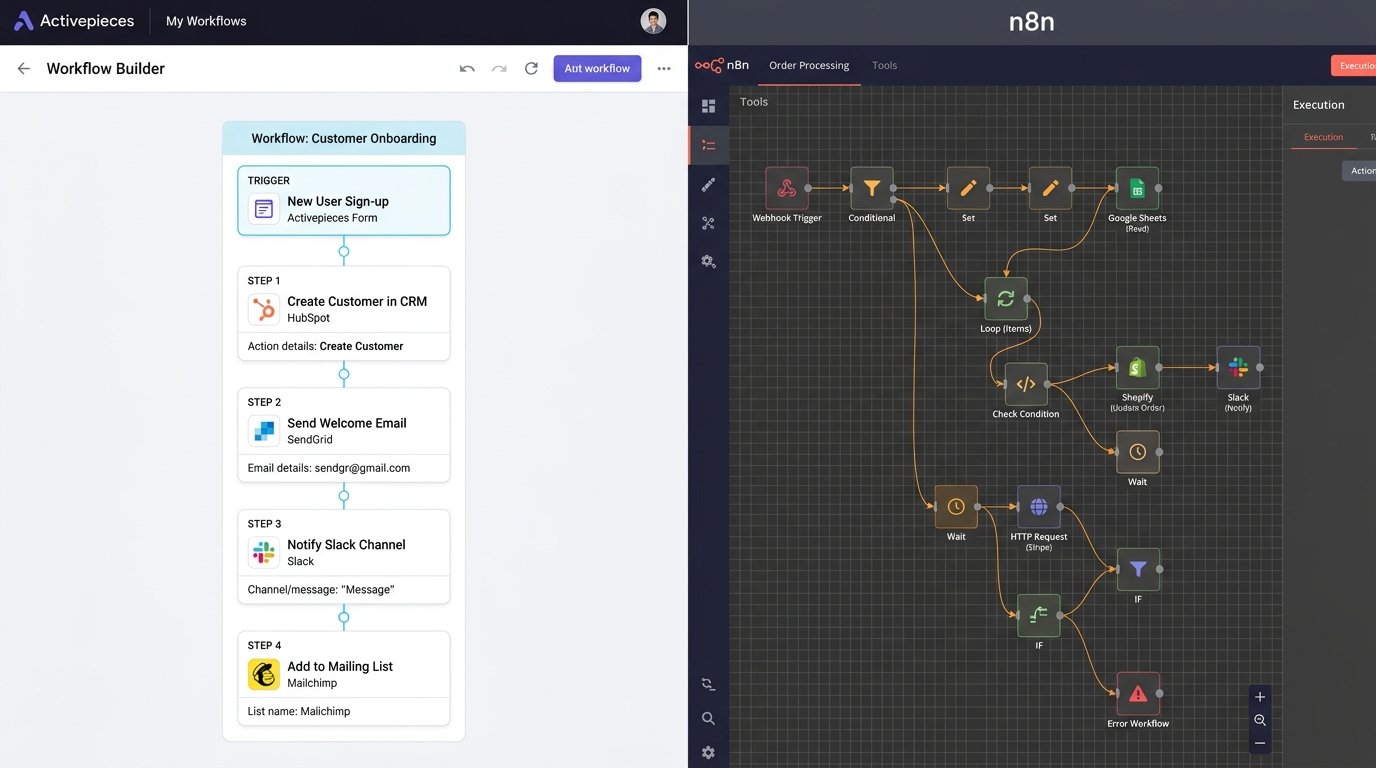
Activepieces looks and feels like Zapier. It’s linear — trigger, then step 1, then step 2. You don’t need to understand what a “node” is. You don’t need to think about data flows. You just pick an app, pick an action, fill in the fields, move to the next step. For someone who’s never built an automation before, you can have something working in under 20 minutes.
n8n is different. It uses a canvas where you drag nodes around and wire them together. It looks a bit like an electronics circuit diagram, which is fine if that’s how your brain works — but if you’re not technical, it can feel overwhelming on day one. There are also more things to configure per node: input/output modes, expressions, error branches. It’s not hard once you get it, but there’s definitely a steeper climb.
If your team includes people who aren’t developers — marketing, ops, sales — Activepieces is the one they’ll actually use. With n8n, you’ll probably end up being the one building everything yourself anyway.
Is Activepieces Really Open Source?
Yes, mostly — but there’s a catch worth knowing.
The core of Activepieces is MIT licensed. That’s one of the most permissive licenses out there. You can download it, run it on your own server, modify it, do whatever you want with it. No fees, no questions asked, no usage limits.
However, Activepieces runs an “open core” model. That means some features — like advanced SSO, SCIM provisioning, RBAC, audit logs — sit in a separate packages/ee folder in the repo and are covered by a commercial license, not MIT. So if your company’s IT team needs those enterprise governance features, you’ll need to buy a commercial deal with Activepieces.
For most small and medium businesses? The MIT core is completely fine. You’re not going to hit a wall there. But if you’re evaluating it for a bigger company where access control and compliance features matter, just know those aren’t free.
n8n’s situation is a bit murkier. They use something called a “Sustainable Use License” (also known as Fair-Code). The software is source-available, meaning you can read the code and modify it for yourself. But it’s not open-source in the traditional sense. There are restrictions on how you can use it commercially:
- ✅ Using it for your own internal business automation? Totally fine, no cost.
- ✅ Building workflows for clients as an agency? Also fine, as long as clients don’t get direct access to your n8n instance.
- ❌ Building a SaaS product where your customers log in and use n8n? You need a paid license.
- ❌ White-labeling it and selling it as your own tool? Also needs a commercial deal.
So if you’re building a product on top of an automation engine, Activepieces (MIT) is genuinely the safer pick. n8n will come back to you with a licensing conversation.
Can Activepieces Be Self-Hosted for Free?
Yes, completely. The MIT-licensed version runs on Docker and is free to deploy on any server you control. There’s no task limit, no execution cap, no “you’ve hit your plan limit” message. You run as many flows as you want.
Same story with n8n’s community edition — you can self-host it for free with no vendor-imposed limits.
The real cost of self-hosting either tool isn’t the software, though. It’s the server and the time:
- A basic VPS from Hetzner or DigitalOcean runs $4–$6/month — enough to run either tool for a small operation.
- You’ll need Docker knowledge (or the willingness to learn it).
- You own updates, backups, and security. If something breaks at 2am on a Sunday, that’s on you.
For a solo builder or a technical small team, self-hosting is a completely reasonable path. For a non-technical team that just wants things to work, the cloud versions make more sense.
Activepieces Cloud Pricing vs n8n Cloud Pricing
This is where things get interesting.
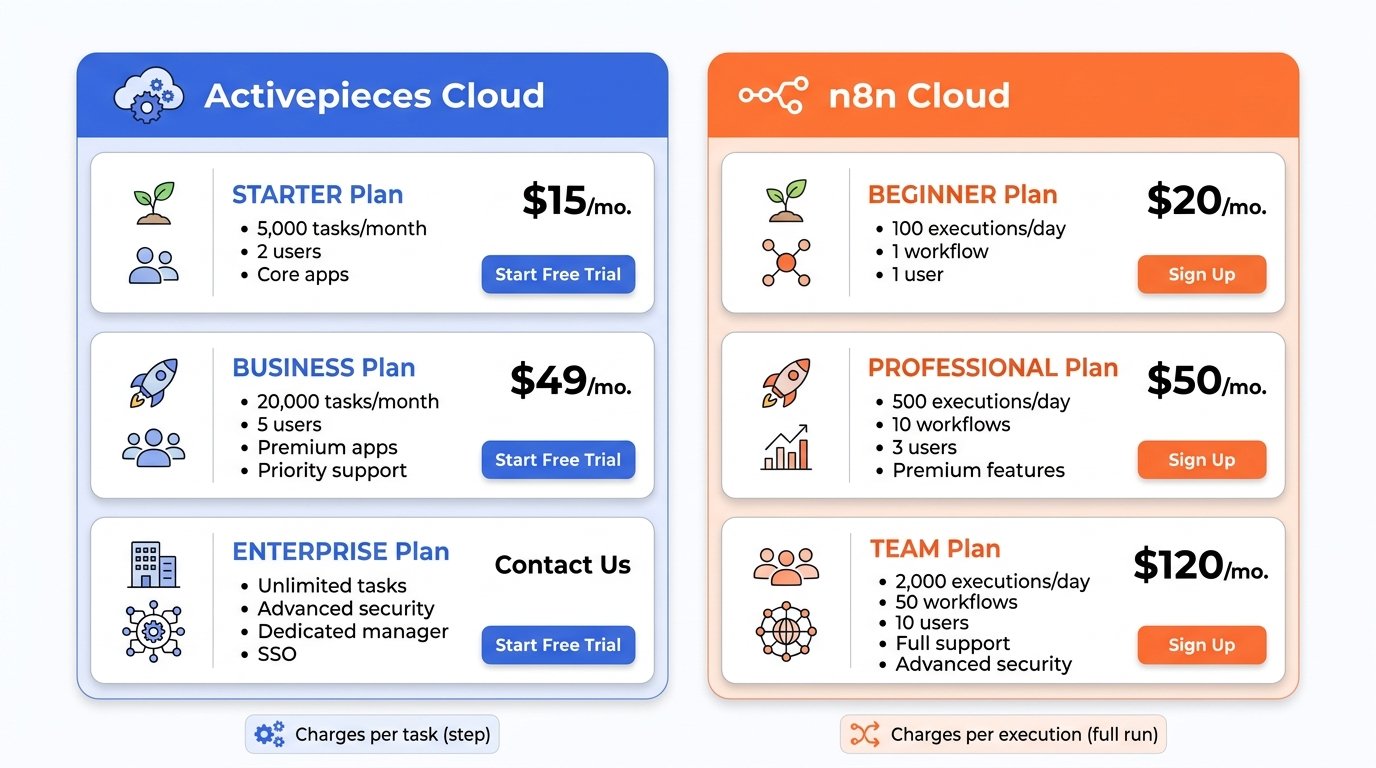
Activepieces Cloud
- Free plan: Around 1,000 tasks/month. Good for testing, not really for production.
- Plus plan: Around $20–25/month. Better task limits, access to AI features.
- Team/Ultimate plans: More users, higher task pools, SSO.
- AI credits: If you’re using built-in AI features, there’s a credit system. Overages run about $0.007 per credit. Bring your own API keys to avoid this.
n8n Cloud
- Starter: ~$24/month — 2,500 executions/month.
- Pro: ~$60/month — 10,000 executions/month.
- Business: ~$667/month — 40,000 executions/month. This is the one with Git version control and proper team features.
- Enterprise: Custom pricing.
Does Activepieces Charge Per Task or Execution?
This is one of the most important questions to ask.
Activepieces on the cloud counts tasks — each individual step in a workflow counts. So a 5-step workflow that runs 1,000 times uses 5,000 tasks.
n8n counts executions — one full workflow run = one execution, regardless of how many steps are inside it. So that same 5-step workflow running 1,000 times = 1,000 executions.
Which platform is cheaper at high execution volumes?
For complex, multi-step workflows, n8n’s per-execution model is significantly cheaper at scale. If your flows have 10–20 steps and run thousands of times a month, n8n’s model is going to cost a fraction of what Activepieces would on cloud.
For simple 2–3 step flows at low volume, Activepieces cloud is fine and comparable.
If you’re running high volumes on either platform, self-hosting both essentially removes this cost entirely — you just pay for the server.
Does Activepieces Have Fewer Integrations Than n8n?
Historically, yes. But the gap is closing fast.
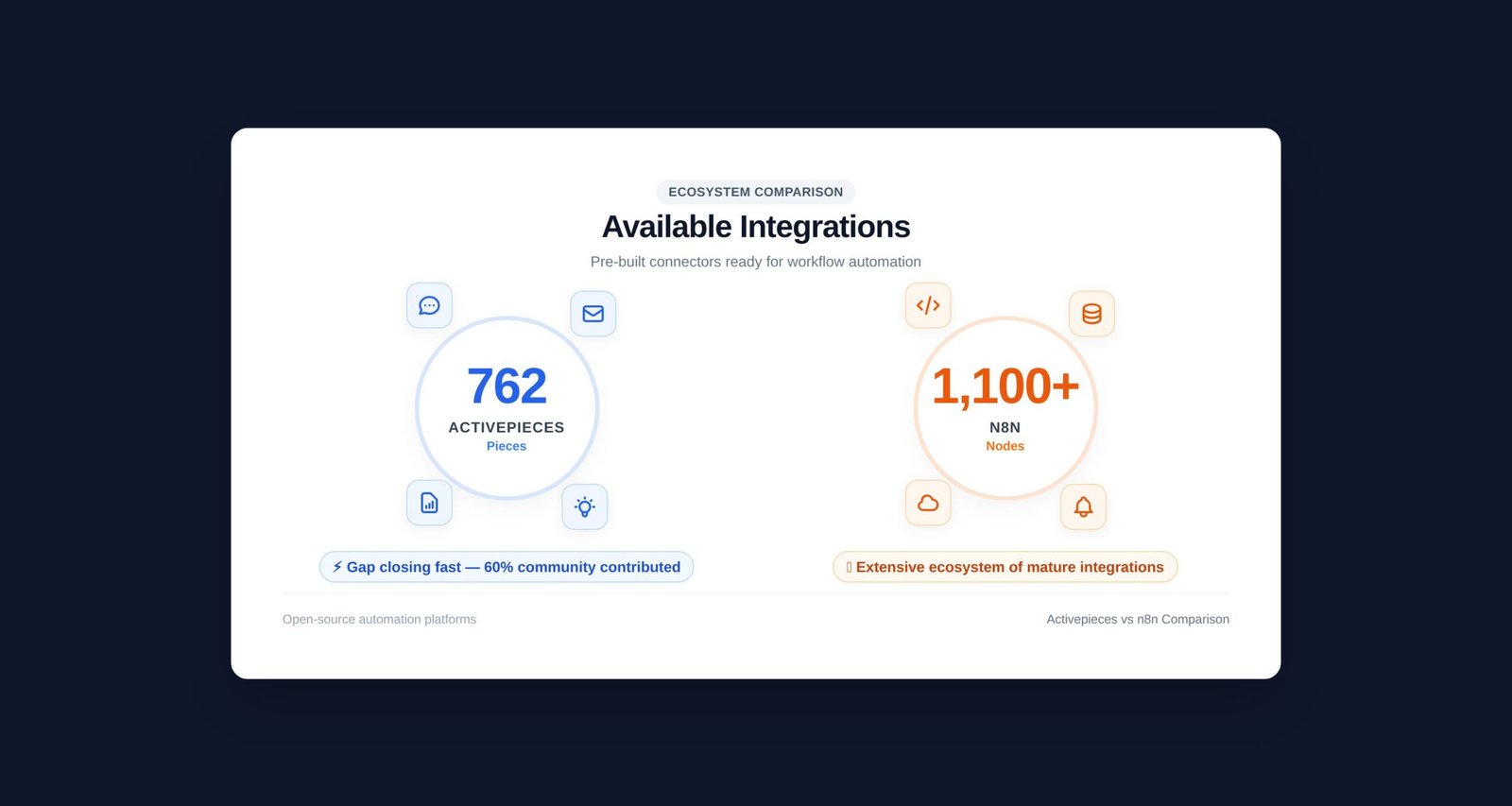
Right now, Activepieces has around 762 integrations (they call them “pieces”), including 123 AI-related ones. A big chunk — around 60% — come from community contributions, which means the library is growing fast.
n8n has around 1,100+ integrations (nodes), and it’s been building this library for longer. The breadth is still wider.
That said, for most businesses, this difference doesn’t matter in practice. Both tools cover all the common apps — Google Workspace, Slack, HubSpot, Notion, Airtable, OpenAI, Salesforce, and so on. Where n8n’s extra integrations matter is if you’re using niche enterprise tools or specific industry software that only has limited API support.
And for anything not covered by a pre-built integration, both tools let you make custom HTTP requests. So you can connect to literally any API — it just takes a bit more setup than clicking a dropdown.
Can Activepieces Replace Zapier?
For most use cases that bring people to Zapier, yes — especially if you self-host.
The main things people use Zapier for are things like:
- New form submission → send email + update spreadsheet
- New CRM lead → notify Slack + create task in Asana
- Schedule report → pull data + send email
Activepieces handles all of this well. The interface is similar enough that migrating from Zapier doesn’t feel like learning from scratch.
Where Zapier still wins is sheer integration breadth (7,000+ vs 762) and reliability for obscure app connections. If you’re connecting to a less popular tool, Zapier probably has a pre-built connector and Activepieces might not.
Where Activepieces beats Zapier easily: price (especially self-hosted), data ownership, and the ability to customize and extend things.
If you’re on Zapier paying $50–200/month and the apps you use are all common ones, Activepieces on a $5/month VPS is an easy switch that’ll pay for itself in the first month.
Activepieces vs Make (formerly Integromat)
Make sits somewhere between Zapier (easy) and n8n (powerful). It has a visual canvas builder with proper branching, loops, and data transformation. It’s more powerful than Zapier but more accessible than n8n.
Activepieces vs Make is mostly an ease-of-use vs power tradeoff:
- Activepieces is simpler, open-source, and self-hostable with no per-operation charges when self-hosted.
- Make has deeper built-in logic (routers, filters, iterators) and 3,000+ integrations, but it’s cloud-only and charges per operation.
For teams that want cloud + simplicity: Make is a solid choice. For teams that want self-hosted + open source + growing AI features: Activepieces is the stronger pick.
Activepieces vs Windmill
Windmill is a different beast entirely. It’s primarily a code execution platform — you write TypeScript, Python, Go — and the workflow builder is almost secondary. If you want to build automation where the code is the main thing and the UI is just a wrapper, Windmill is excellent.
Activepieces is the opposite philosophy: UI is the primary thing and code is the escape hatch when needed.
Most people asking “Activepieces vs n8n” are not in the Windmill category. Windmill makes sense if your team is primarily developers who want a platform to run scripts reliably, not a no-code builder.
Which Tool Is Better for AI Automation?
Both tools have put a lot of effort into AI features, but they take different approaches.
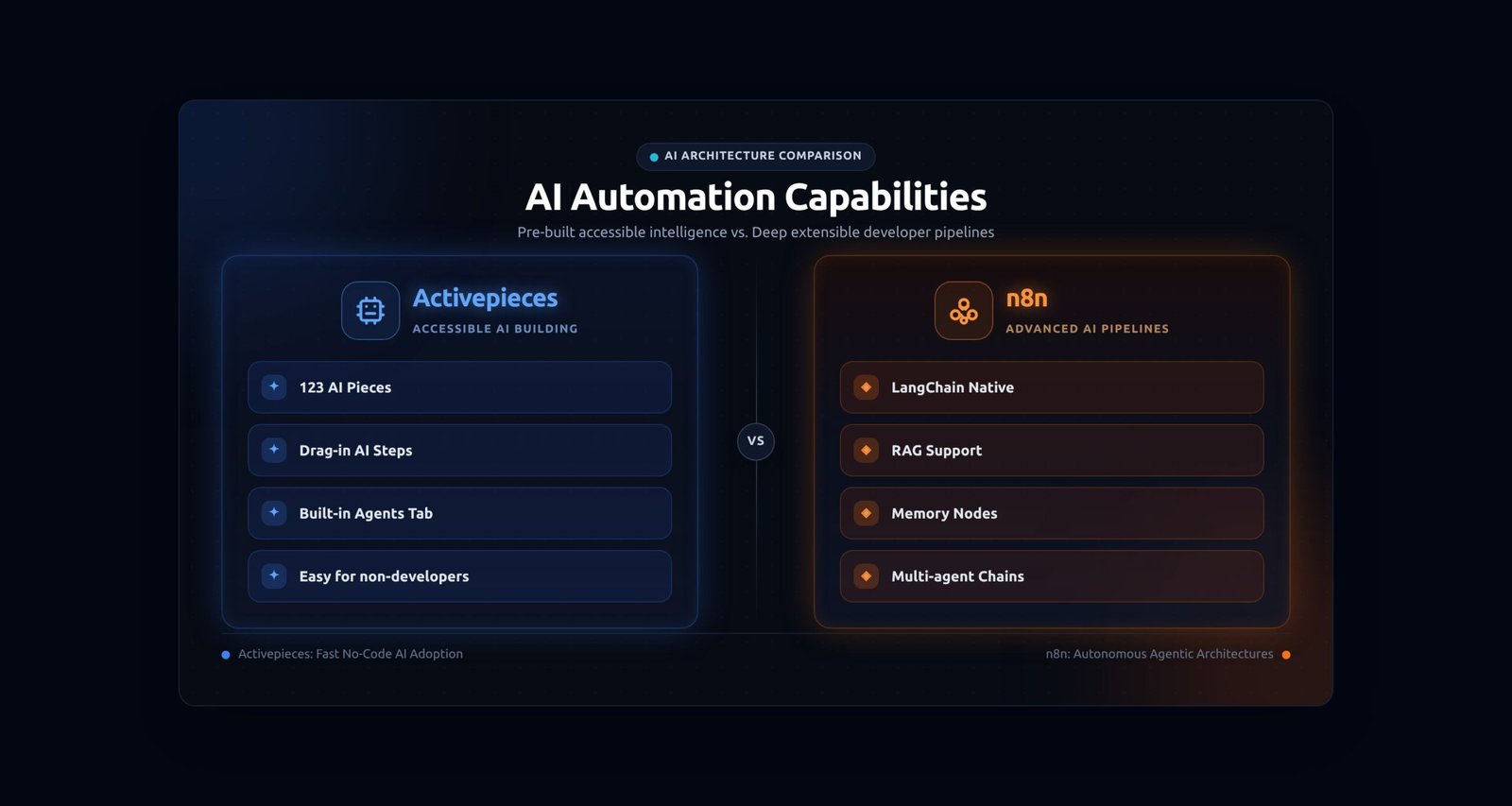
n8n has the most mature AI stack. It has native LangChain integration, memory nodes, embedding support, RAG (Retrieval-Augmented Generation) patterns, and full agent support. If you want to build multi-agent systems with memory and complex reasoning loops, n8n is ahead. Developers who know what LangChain is will feel at home.
Activepieces takes an “AI-first for everyone” approach. It has a dedicated Agents tab where you can build and test standalone AI agents and then drop them into workflows. It’s more accessible — you don’t need to know what LangChain is. For simple AI tasks like “summarize this email,” “classify this input,” or “draft a reply,” Activepieces gets you there faster.
So: complex AI pipelines with memory, RAG, and chained agents → n8n. Simple AI steps dropped into business workflows → Activepieces.
Which Tool Is Easier to Maintain Without a Developer?
Activepieces, without question.
If your team doesn’t have someone technical available on an ongoing basis, Activepieces is the one you want. The interface is clean enough that a non-developer can read a workflow and understand what it’s doing. They can tweak values, change API keys, and add simple steps without breaking everything.
n8n workflows can get complex fast. The node canvas, nested conditions, sub-workflows, JavaScript expressions scattered through fields — it’s not impossible for a non-developer to maintain, but it’s much easier to accidentally break something, and debugging it requires understanding how data flows through nodes.
What Actually Breaks When You Move Either Tool Into Production?
Okay, this is the part nobody talks about on the marketing pages.
Activepieces production gotchas:
- Linear design has limits: When you need to do something that doesn’t fit neatly into a linear flow — like running parallel branches simultaneously, or deeply nested conditionals — it starts to feel awkward. You can work around most things but sometimes it takes more steps than it should.
- Advanced OAuth edge cases: Some APIs have non-standard OAuth flows (custom grant types, PKCE, device flow). Activepieces handles the common ones well, but if you hit something unusual, you might be wrestling with it for a while.
- Error recovery is simpler: There’s no concept of a dedicated “error workflow” that fires automatically when something fails. You get retry options and error handling within the flow, but n8n’s dedicated error workflow pattern is more powerful.
- Community pieces quality varies: Because a lot of integrations are community-contributed, some pieces are better maintained than others. You might find a piece for a niche app that works great, or one that has a bug nobody’s fixed yet.
n8n production gotchas:
- Memory and performance: Running n8n in production on a small VPS can get hairy. Complex workflows with lots of parallel execution or large data sets can eat memory. You need to set up “Queue Mode” with a Redis instance for serious production workloads, which adds infrastructure complexity.
- Version upgrades: n8n updates frequently, and breaking changes happen. If you’re self-hosted, you need to stay on top of upgrades and test that existing workflows still work. This has burned a lot of teams.
- Credential sharing: Sharing credentials across projects is a paid feature on the cloud (Business plan). On self-hosted community edition, you have more freedom but the management UI for credentials is more basic.
- Test vs production webhooks: n8n has separate test and production webhook URLs, which is a good design — but it confuses new users who build a flow in test mode, activate it, and then wonder why their webhook receiver isn’t getting calls. You have to switch to the production URL.
- Sub-workflow complexity: When you start building with sub-workflows (which you will for anything serious), managing versions and dependencies between them gets harder to track. There’s no built-in versioning unless you’re on the Business plan with Git integration.
How Difficult Are OAuth, Webhooks, and Custom API Calls on Each Platform?
OAuth
Both tools have credential managers that handle OAuth flows for common services. For the big ones — Google, Slack, HubSpot, etc. — it’s mostly clicking “connect” and following the browser prompts.
Where they diverge: n8n has been around longer and handles more edge cases out of the box. Its credential manager is also better suited for teams where multiple workflows share the same credentials — though full team-level credential scoping is behind a paid tier.
Activepieces handles standard OAuth well, but for unusual API auth (non-standard OAuth2, weird token refresh logic), you might hit walls. The custom HTTP request piece is your friend here but it does require you to manually manage auth headers and tokens.
Webhooks
n8n has a mature webhook system. Test webhook URL for development, production URL for live use. You can inspect raw payloads, filter and transform responses. Very solid.
Activepieces webhooks work well for standard use cases — you get a URL, point your service at it, and it triggers the flow. For debugging complex webhook payloads, the visibility is a bit more limited compared to n8n’s raw execution inspector.
Custom API Calls
Both have an HTTP request step for calling any API. n8n’s HTTP node is more powerful — you can configure headers, auth, body format, response handling, all in detail. Activepieces’ HTTP piece is cleaner and easier to set up for common cases, but less configurable for weird APIs.
Does Activepieces Support Loops, Branching, and Reusable Workflows?
Yes, all three — but with some limitations compared to n8n.
Loops: Activepieces has a loop step that iterates over a list. It works well for processing batches of items. n8n’s loop handling is more flexible — you can loop over items with different logic for each iteration and merge results in complex ways.
Branching: Activepieces has an IF condition step with true/false branches. For most business logic, this is enough. For complex nested conditions or multiple simultaneous branches running in parallel, n8n gives you more control.
Reusable workflows: Activepieces doesn’t have a true “sub-workflow” feature in the way n8n does. You can build an AI Agent once and reuse it, but reusing arbitrary workflow chunks isn’t quite there yet. n8n lets you call one workflow from another, which is essential for keeping large automation projects organized.
Which Platform Has Better Debugging and Execution History?
n8n wins here, genuinely.
n8n shows you every execution in detail — you can click on any past run and see exactly what data went into each node, what came out, what errors happened, and where things failed. You can re-run from a failed step without triggering the whole workflow again. For a developer debugging a broken flow, this is invaluable.
Activepieces has execution history and shows you where a flow failed, but the granularity is less. You can see the error and the step that failed, but the raw data inspection is less detailed than n8n’s execution viewer.
For teams maintaining complex workflows in production, n8n’s debugging experience is noticeably better and will save you time when things go wrong.
Who Owns Failed Workflow Recovery?
On self-hosted: you do. Both tools give you execution logs, but neither is going to alert you out of the box when a flow silently fails. You need to set up monitoring yourself — either by using the built-in error notification features (both tools have some version of this) or by hooking into an external alerting system.
n8n lets you define a dedicated “Error Workflow” that fires whenever any other workflow fails. You can use this to send yourself a Slack message, log to a spreadsheet, or trigger any other alert flow. This is really powerful for production.
Activepieces has error handling at the step level and some notification options, but the dedicated error workflow pattern isn’t as clean. You’re more likely to build error notifications inline (within the flow) rather than as a separate recovery workflow.
For serious production workloads where uptime matters, n8n’s error handling architecture is more robust.
Is Activepieces Worth It?
Depends on who you are.
Yes, it’s worth it if:
- You or your team isn’t particularly technical
- You want to move off Zapier without a steep learning curve
- You care about true open-source (MIT license matters to you)
- You need to build AI-assisted workflows that non-developers can maintain
- You want a simpler tool that does 80% of what n8n does with 20% of the complexity
- You’re building a product that embeds automation for end users (the MIT license allows this without a commercial deal)
n8n might be better for you if:
- You’re a developer or you have developers on your team
- Your workflows involve complex data manipulation, nested logic, or custom code
- You need the most mature debugging and error handling in production
- You’re running high execution volumes and want per-execution pricing
- You need deep AI pipelines with agents, memory, and RAG patterns
- You want Git version control for your workflow configurations
Activepieces Pros and Cons
Pros
- Genuinely easy to use — non-developers can build and maintain flows
- True MIT open-source license — no commercial restrictions for most use cases
- Self-hosted version is completely free with no execution limits
- Strong and growing AI integration (123 AI pieces)
- Clean, modern interface that doesn’t intimidate newcomers
- Fast-growing community integration library
- Great for embedding automation into your own product
Cons
- Fewer integrations than n8n (762 vs 1,100+)
- Linear design gets awkward for complex parallel or nested logic
- No dedicated error workflow pattern like n8n
- Limited sub-workflow / reusability features
- Community pieces vary in quality and maintenance
- Advanced debugging is less detailed than n8n’s execution inspector
- Enterprise features (SSO, SCIM, RBAC) require a commercial license
Final Verdict
Here’s the honest version:
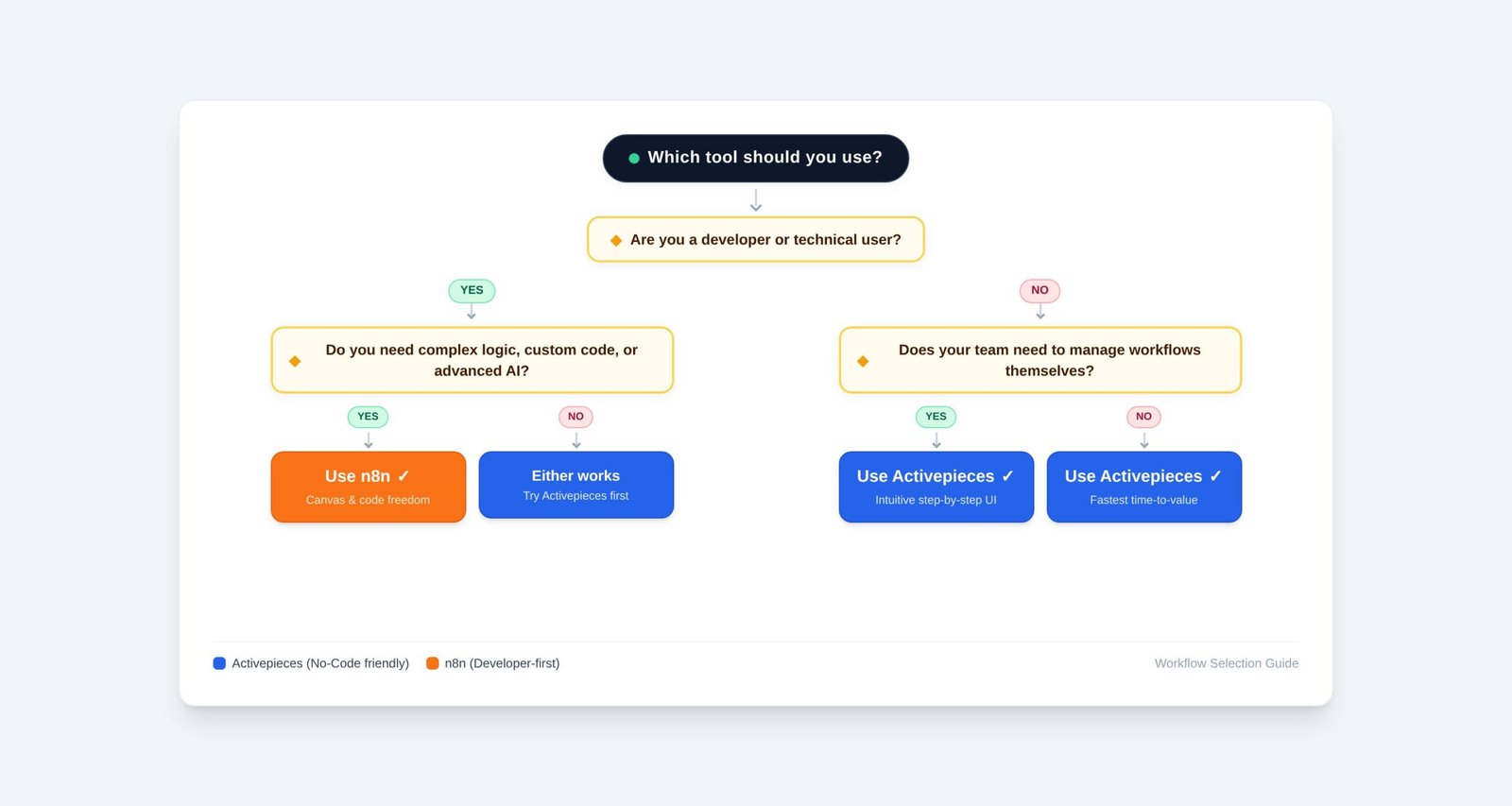
Activepieces is a younger tool that’s moving fast. It’s genuinely well-built, properly open-source, and far more accessible than n8n. If you’re a small business, a non-technical team, or an agency building automations for clients who need to maintain them — Activepieces is the better choice right now. You’ll spend less time fighting the tool and more time actually automating things.
n8n is the tool for people who want maximum power and don’t mind paying for it in complexity and setup time. It’s been around longer, it handles edge cases better, the debugging is superior, and the AI stack is more mature. If you’re technical and your automation needs are genuinely complex — or if you’re a developer who wants to stay in control of everything — n8n earns its reputation.
Neither is the best tool for everyone. That’s the real answer.
If you’re not sure: try Activepieces first. It takes 15 minutes to get a flow working. If you keep hitting walls because your logic is too complex, then move to n8n. Most people end up staying with Activepieces.
FAQ’s
Is Activepieces better than n8n?
It depends on your use case. Activepieces is better for non-technical teams who want a simple, Zapier-like experience. n8n is better for developers who need complex logic, custom code, and more mature debugging tools.
Is Activepieces really open source?
The core of Activepieces is MIT licensed — one of the most permissive open-source licenses available. Some enterprise features like SSO and audit logs are in a separate commercial package, but the core platform is genuinely free and open source.
Can Activepieces be self-hosted for free?
Yes. The MIT-licensed version runs on Docker and has no execution limits, no task caps, and no vendor fees. You only pay for your own server infrastructure, which starts around $4–6/month on a basic VPS.
Does Activepieces charge per task or execution?
Activepieces cloud charges per task — each step in a workflow counts. n8n charges per execution — one full workflow run regardless of steps. For complex multi-step workflows, n8n’s model is significantly cheaper at scale.
Which is cheaper at high execution volumes, Activepieces or n8n?
n8n is generally cheaper for complex workflows because it charges per execution (full run), not per step. Both tools are effectively free at high volumes if you self-host on your own server.
Can Activepieces replace Zapier?
For most common Zapier use cases, yes. Activepieces has a similar linear interface and covers all popular apps. It has fewer integrations than Zapier but self-hosting eliminates the per-task costs that make Zapier expensive at scale.
Last updated: September 2026