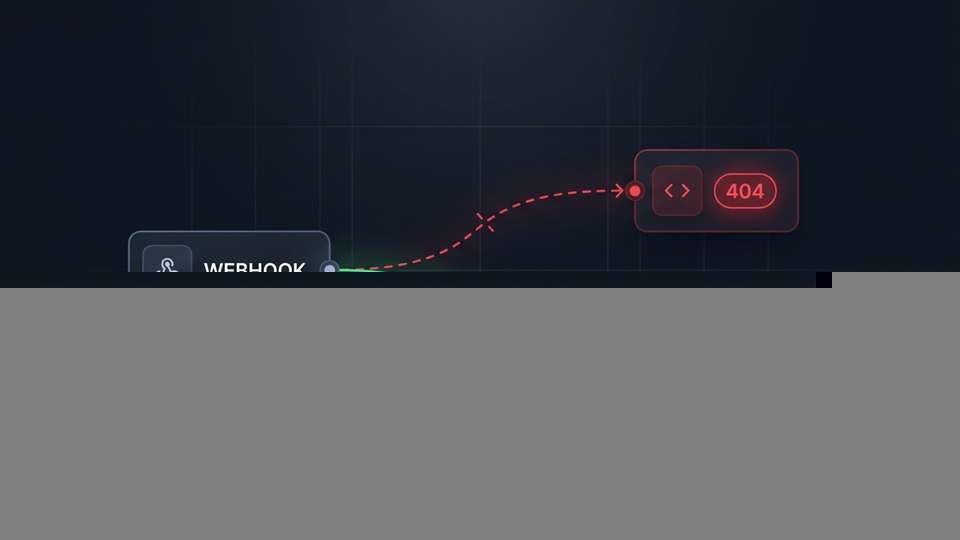
Quick answer: n8n returns 404 — The requested webhook is not registered when an incoming request reaches your server, but nothing in n8n’s active routing table matches both that URL path and that HTTP method. Nine times out of ten, you either left a single-use /webhook-test/ URL in an external app, forgot to switch the workflow Active, sent a GET request to a POST webhook, or self-hosted n8n behind a reverse proxy without setting WEBHOOK_URL (or N8N_WEBHOOK_URL on newer releases).
Scope & testing note: This guide is based on official n8n Webhook node and endpoint configuration documentation. No local n8n instance was running when this guide was prepared, so the
curloutputs below show expected behavior rather than lab-captured logs. Test every change against a disposable workflow and fictional data first.
10-Second Triage: Match the Error to the Fix
Not every 404 comes from the same layer. Look at the exact response body and URL before touching your workflow.
| What You See | Where It Failed | Fast Fix |
|---|---|---|
JSON {"code":404,"message":"The requested webhook "POST ..." is not registered."} on /webhook-test/... | n8n test listener expired or wasn’t armed | Switch the caller to /webhook/... (Production URL) and activate the workflow |
Same JSON 404 on /webhook/... | Workflow is inactive, path changed, or route table is stale | Toggle the workflow Active (or toggle Inactive → Save → Active) |
JSON 404 says "GET <path>" when your node expects POST | HTTP method mismatch (e.g., opening a POST URL in a browser) | Match the Webhook node’s HTTP Method to the sender’s method |
| HTML 404 page from Nginx, Caddy, or Cloudflare (not n8n JSON) | Reverse proxy never routed /webhook/ to n8n | Fix proxy_pass / tunnel path rules and check Host + X-Forwarded-Proto |
External app rejects or hits localhost:5678 | Missing WEBHOOK_URL / N8N_WEBHOOK_URL env var | Set WEBHOOK_URL=https://n8n.yourdomain.com/ and restart n8n |
Who This Applies To
- n8n Cloud and Self-Hosted users (Docker Compose, npm, PM2, or Redis queue mode).
- n8n versions: Applies across v1.x and v2.x+. (Note:
WEBHOOK_URLwas deprecated in favor ofN8N_WEBHOOK_URLin newer n8n versions—check your instance’s endpoint environment variables if you are upgrading.)
1. Test URL vs. Production URL (The #1 Trap)
n8n gives every Webhook node two different URLs, and they behave completely differently:
- Test URL (
/webhook-test/<path>): Temporary and single-use. When you click Execute Workflow (or Listen for test event) in the editor, n8n opens a short listening window (about 120 seconds). The moment one request lands, n8n captures it for your editor canvas and immediately unregisters the route. - Production URL (
/webhook/<path>): Persistent. It stays registered around the clock, as long as the workflow is toggled Active.
If you copy /webhook-test/ into Stripe, Typeform, GitHub, or a cron script, the first test might succeed—and every call after that returns 404.
2. Inactive Workflows & Stale Route Tables
Production webhooks do not listen while a workflow is in draft/inactive mode. Look at the Active toggle in the top-right corner of the n8n editor and make sure it is switched ON.
The imported-workflow gotcha: If you imported a workflow from JSON, restored a backup, or run n8n in Redis queue mode with separate webhook processors, the UI can occasionally show a workflow as Active while n8n’s internal webhook_entity route table is out of sync.
- Toggle the workflow Inactive.
- Click Save.
- Toggle it back to Active.
If one specific imported Webhook node still refuses to register, drag in a fresh Webhook node, copy the path and method over, and delete the imported node.
3. HTTP Method Mismatches (GET vs POST)
n8n does not register a path on its own—it registers a (Method, Path) pair.
A classic false alarm: you build a POST webhook, copy the Production URL, and paste it into Chrome to “see if it works.” Chrome sends a GET request, and n8n honestly replies: "The requested webhook "GET my-path" is not registered."
Always check the HTTP verb quoted inside the 404 message. If it says GET when your node is set to POST (or PUT / PATCH), the sender and the node disagree.
4. Self-Hosted Reverse Proxy & WEBHOOK_URL Pitfalls
If you self-host behind Nginx, Traefik, Caddy, or Cloudflare Tunnels, two infrastructure mistakes cause persistent 404s:
Missing WEBHOOK_URL / N8N_WEBHOOK_URL
Without an explicit public base URL, n8n can default to http://localhost:5678/ when generating webhook URLs or registering endpoints with third-party OAuth/webhook providers. Set it explicitly in your Docker environment and restart the container:
environment:
  - WEBHOOK_URL=https://n8n.example.com/
  # Newer n8n versions use N8N_WEBHOOK_URL=https://n8n.example.com/
Reverse Proxy Stripping /webhook/
In Nginx, adding a trailing slash on proxy_pass rewrites the path and strips /webhook/ before n8n ever sees it. Keep proxy_pass without a trailing path and forward the host/protocol headers:
location / {
    proxy_pass http://127.0.0.1:5678;
    proxy_set_header Host $host;
    proxy_set_header X-Forwarded-Proto $scheme;
    proxy_set_header X-Forwarded-For $proxy_add_x_forwarded_for;
}
Also watch out for trailing slashes on the caller’s side (/webhook/my-path/ vs /webhook/my-path) and dynamic path parameters (:id) that don’t match the incoming segment count.
Minimal Synthetic Check (4 curl Tests)
To isolate whether n8n or an external app is at fault, create a 1-node workflow with a Webhook node (HTTP Method: POST, Path: health-ping-demo), save it, and run these synthetic checks (expected behavior—validate on your own instance):
# 1. Test URL while not listening (expected: 404)
curl -i -X POST https://n8n.example.com/webhook-test/health-ping-demo
  -H "Content-Type: application/json"
  -d '{"source":"synthetic-check","id":101}'

# 2. Production URL while Inactive (expected: 404)
curl -i -X POST https://n8n.example.com/webhook/health-ping-demo
  -H "Content-Type: application/json"
  -d '{"source":"synthetic-check","id":101}'

# 3. Production URL while Active (expected: 200 OK)
curl -i -X POST https://n8n.example.com/webhook/health-ping-demo
  -H "Content-Type: application/json"
  -d '{"source":"synthetic-check","id":101}'

# 4. Wrong HTTP Method while Active (expected: 404 mentioning GET)
curl -i -X GET https://n8n.example.com/webhook/health-ping-demo
What Not to Do
- Don’t leave
/webhook-test/in production webhooks just because it worked once during setup. - Don’t debug a
POSTwebhook by opening it in a browser tab—usecurlor Postman so you actually sendPOST. - Don’t assume n8n is broken if you see an HTML 404—n8n returns JSON for unregistered webhooks; an HTML 404 means your proxy or DNS never reached n8n.
Frequently Asked Questions
Why does my n8n webhook work in test mode but return 404 in production?
Because test mode uses /webhook-test/ (which only listens while you click Execute Workflow), whereas live traffic must hit /webhook/ with the workflow toggled Active. If you didn’t update the URL in your external app, or you forgot to activate the workflow, production calls return 404.
Why does n8n say “The requested webhook GET … is not registered” when my node is set to POST?
n8n registers webhooks by both URL path and HTTP method. Opening a POST webhook URL in a web browser sends a GET request, which triggers a 404. Send a POST request with curl or change the Webhook node’s HTTP Method to match the caller.
How do I fix n8n webhook 404 in Docker behind Nginx or Cloudflare?
Set WEBHOOK_URL (or N8N_WEBHOOK_URL on newer versions) to your full public HTTPS URL, restart n8n, and make sure your reverse proxy forwards Host, X-Forwarded-Proto, and X-Forwarded-For without stripping /webhook/ from the request path.
Next Step & Related Guides
Once your webhook returns 200 OK, lock it down and make sure it handles retries and failures cleanly:
- n8n Webhook Authentication: Verify the Sender Before You Trust the Payload
- n8n Webhook Duplicate Prevention: 16 Tests + Free Lab
- n8n Respond to Webhook Node: Tested Setup and 5 Common Fixes
- n8n Error Workflow: Setup + Why It Misses Failures (2026)
Still hitting a stubborn reverse-proxy or multi-worker webhook 404? Send your workflow JSON and error output for a Fix My n8n Workflow: Fixed Price, By Email review.