Disclosure: Operant Solo is reader-supported. We may earn an affiliate commission when you purchase through links on this page, at no additional cost to you. Recommendations are based on independent testing and evaluation.
Quick pick
Choose Zapier for a visual workflow built mainly from supported app actions. Choose Pipedream when you need custom API calls or code within a hosted workflow. Compare the actual usage of your workflow before claiming one is cheaper; the billing units differ.
The Evolution of the Automation Developer
For years, if a company needed to automate a process, the workflow was entirely non-technical. A marketing manager would log into Zapier, drag a few icons together, and the data would flow. Zapier is a no code platform that completely democratized automation, enabling anyone to connect software without writing a single line of script.
However, as businesses scaled, their automation needs became increasingly complex. Developers were tasked with maintaining massive visual workflows that lacked version control, struggled with complex data transformations, and were painfully difficult to debug.
Enter Pipedream: an automation tool built specifically for developers.
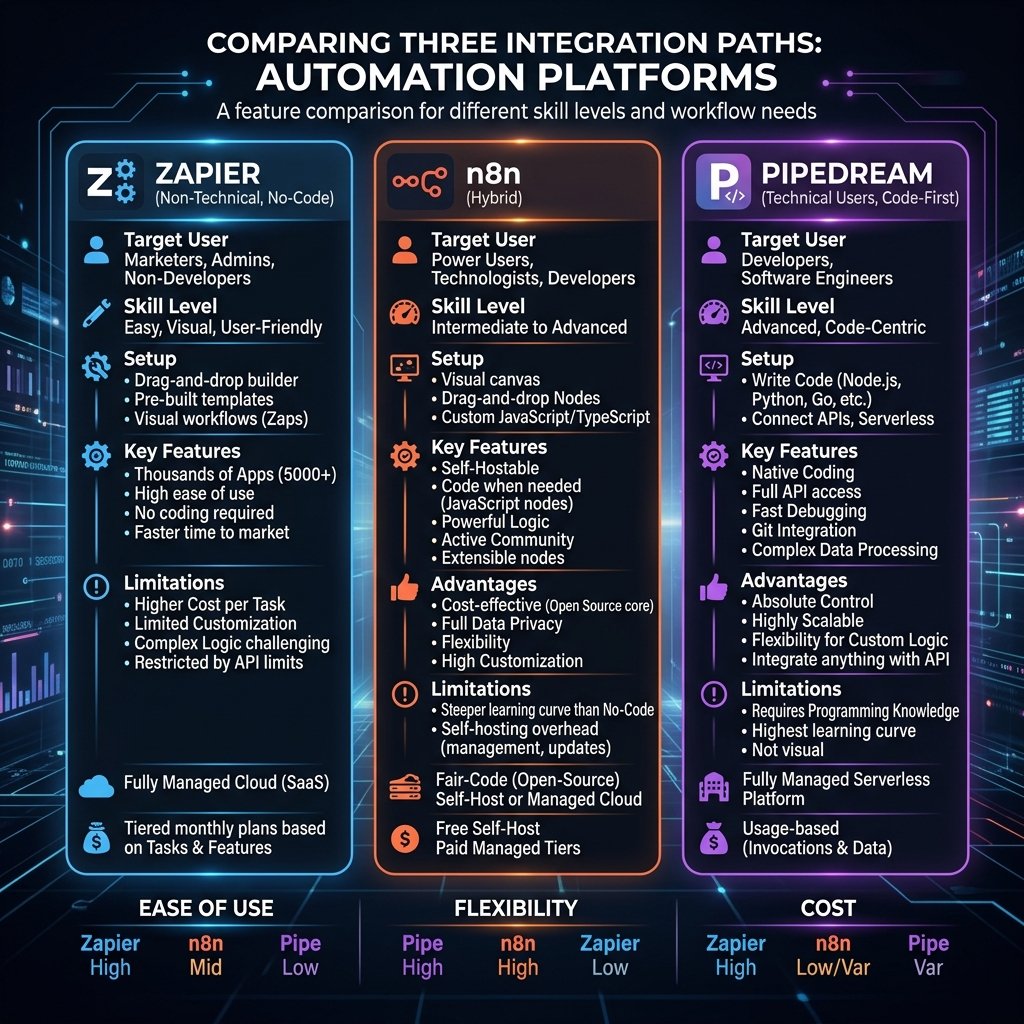
In the battle of pipedream vs zapier, you are not just comparing two pieces of software. You are comparing two entirely different philosophies of building infrastructure. One prioritizes extreme ease of use for the masses; the other prioritizes granular control and code execution for software engineers.
Quick Answer: Choose Zapier if you want to connect supported apps with a visual builder and little code. Choose Pipedream if your workflow needs custom JavaScript, Python or API logic on a managed runtime. Zapier generally bills for successful actions and some AI or code steps at different task rates; Pipedream Workflows bills by compute credits. Test the same workflow on each before choosing by cost.
Here is the definitive breakdown of how these two platforms compare in 2026, and which one your team should adopt.
🔄 Updated September 2026
Core Philosophy: Visual Canvas vs Code Editor
The easiest way to understand the difference between these platforms is to look at their user interfaces.
Zapier: The Ultimate No-Code Experience
Zapier emphasizes a visual editor and prebuilt app steps. Its pricing page currently describes 9,000+ app integrations; the exact connector and available actions still matter for your workflow. Developers can also inspect data and use code or webhooks where supported.
When you want to transfer data, you map fields visually. You click “First Name” from a dropdown menu in Step 1, and drag it to the “First Name” input field in Step 2. It is foolproof.
Pipedream: The Developer’s Playground
Pipedream looks like an Integrated Development Environment (IDE). While it does offer pre-built trigger nodes to catch webhooks or read database entries, the core of Pipedream is the code step.
Instead of dragging fields visually, pipedream offers an interface where you can write raw Node.js, Python, Bash, or Go. You have direct access to the steps object, allowing you to manipulate the incoming JSON payload precisely how a software engineer would.
If you need a highly specific data transformation (like converting a CSV into a deeply nested XML format), Pipedream allows you to do it in five lines of custom code. Achieving that same transformation in Zapier requires stringing together multiple brittle “Formatter” steps.
Workday acquired Pipedream in 2025, so check its roadmap before building business-critical workflows on it.
The Integration Ecosystem
The primary job of any integration platform is connecting applications.
What Zapier Offers
Zapier offers a broad catalog of prebuilt connections: its current pricing page lists 9,000+ app integrations. Check the specific trigger, action, account tier, and authentication requirements for each app before choosing a platform.
What Pipedream Offers
Pipedream also offers a catalog of prebuilt integrations and managed authentication for many APIs. Developers can use HTTP requests and code steps when a prebuilt action does not fit, but custom authentication and API maintenance can take meaningful work. Compare the exact APIs and permissions your workflow requires.
| Feature | Zapier | Pipedream |
|---|---|---|
| Best fit | Teams building visual automations with prebuilt app steps | Developers building API workflows with code and HTTP steps |
| Integrations | Broad prebuilt app catalog; verify the specific trigger and action | Prebuilt integrations and managed auth; verify the specific API and action |
| Custom logic | Paths, filters, formatter, webhooks, and Code steps where supported | Code steps and HTTP requests alongside prebuilt steps |
| Billing unit | Eligible successful action tasks, with exceptions for some steps | Credits tied to workflow execution time and memory; plan limits also apply |
One workflow, two billing meters
To compare Pipedream and Zapier fairly, model the same job: an inbound lead webhook, a field cleanup, a CRM upsert, and a Slack alert. Run it with a normal lead, a duplicate, and a CRM failure. Record the setup time, the actual tasks or credits shown in each product, and what happens on retry.
| Check | Zapier | Pipedream |
|---|---|---|
| Normal lead | Count the successful billable action steps; a filter or path rule itself does not consume a task. | Record workflow execution credits at the selected memory and run time. |
| Duplicate lead | Check whether the CRM step ran or a filter stopped it. | Check whether the code or action step stopped before the CRM write. |
| CRM timeout and retry | Inspect Zap History and the CRM for a duplicate record. | Inspect the event and execution logs; use a stable lead ID before retrying. |
This is a reproducible test design, not a claim that we ran both paid accounts. Zapier says successful actions count as tasks, with separate rules for some AI and code steps; Pipedream Workflows bills compute credits based on duration and memory. Check Zapier task usage and Pipedream pricing documentation against your current plan. A quick Pipedream run is not automatically cheaper when external API calls or higher memory change the bill.
Pricing: The Cost of Automation
Pricing is where the pipedream vs zapier debate becomes highly relevant for scaling businesses.
The Free Tier Experience
Zapier offers a free plan for simple workflows, subject to task and feature limits. Check its current plan page for the task allowance and whether the steps you need are included; billing for AI and code steps can differ from a standard action.
Pipedream offers a free workspace with a daily credit limit and limits on active workflows and connected accounts. Development and test runs do not consume workflow credits, but production usage does. Check your workspace limits and the current Workflows pricing documentation before assuming a particular daily allowance.
Paid Tiers and Scaling
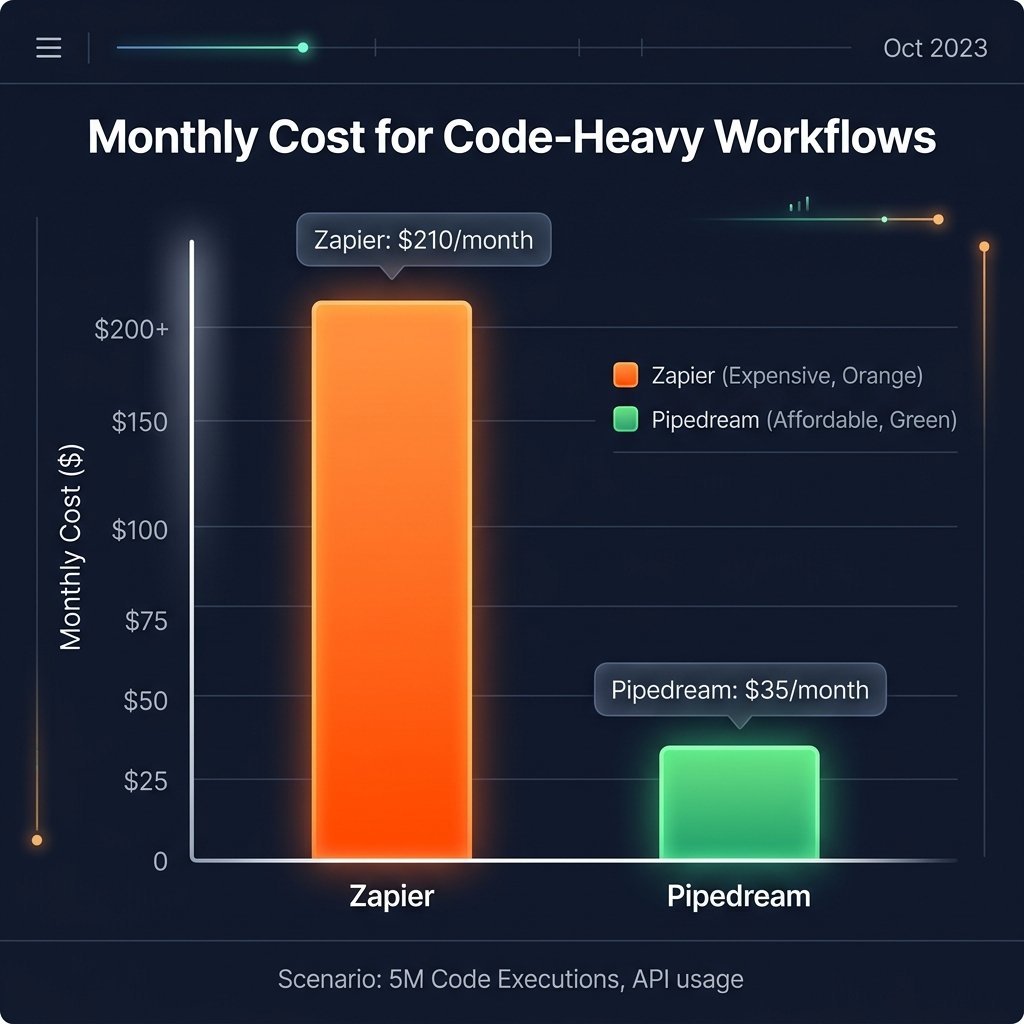
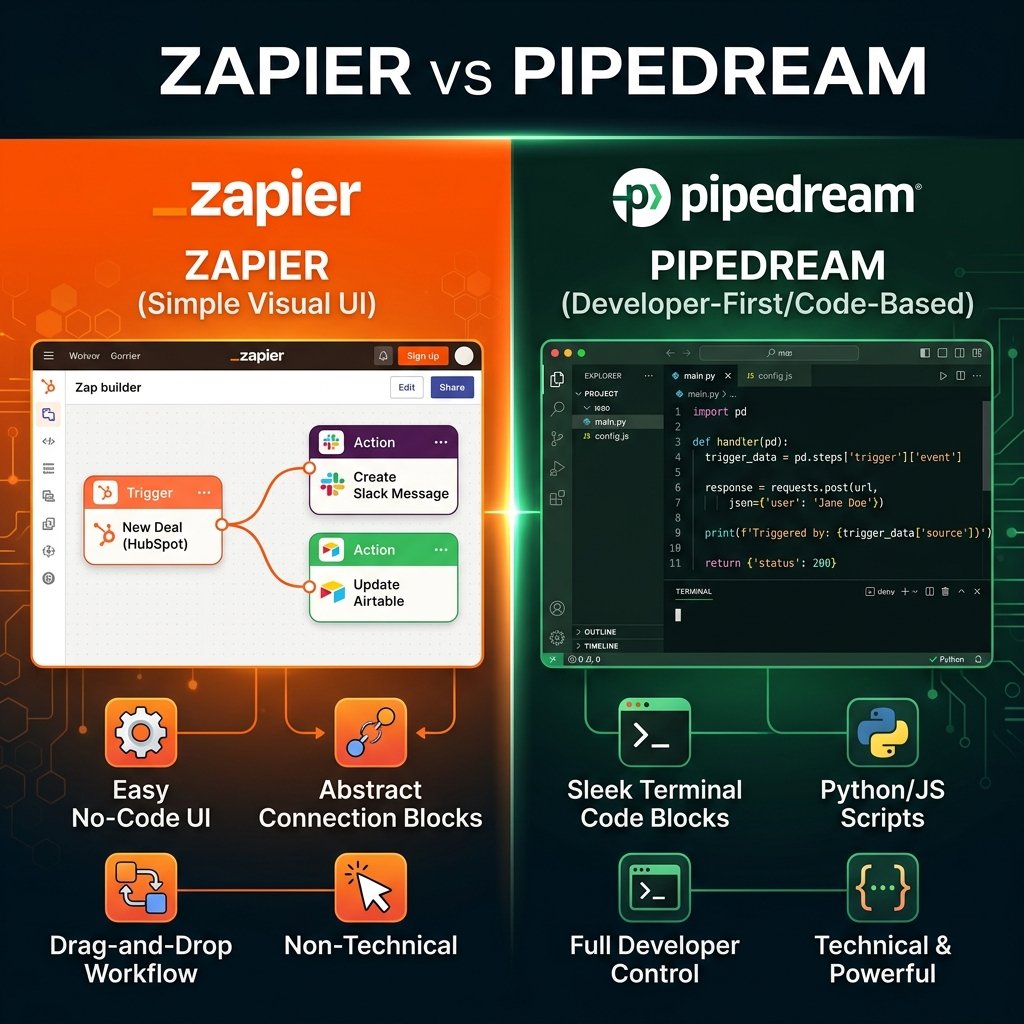
Zapier normally counts each successful action in a Zap as a task, while some AI and code steps have different task rates. Pipedream Workflows uses compute credits: its documentation describes one credit per 30 seconds at 256 MB per workflow segment, with memory and branch behavior affecting usage. A four-step workflow may be inexpensive on either platform; do not infer the bill from step count alone. Compare a measured run and current plan quotas.
Pricing Chart
Enterprise Security and Administration
When moving beyond solo projects into enterprise environments, security compliance is mandatory.
Both platforms are robust, but they cater to different administrative needs.
- Zapier is the gold standard for enterprise compliance. It offers soc 2 type ii compliance, SAML Single Sign-On (SSO), and extensive administrative controls to govern which employees can access which apps.
- Pipedream also boasts excellent security and compliance, but its administrative features lean technical. It provides deep visibility into execution states and highly technical audit logs, allowing engineering teams to monitor webhook failures and latency in real-time.
When to Choose Pipedream
You should choose Pipedream if your team consists of technical users who are comfortable looking at JSON and writing basic JavaScript or Python.
Pipedream excels when:
- You need granular control: For custom array handling, API requests, and logic that is easier to maintain in code, test a Pipedream code step against the equivalent Zapier workflow.
- You are building custom integrations: If you are connecting to internal company APIs or unlisted SaaS products, writing a custom HTTP request in Pipedream is fast and reliable.
- You can estimate execution costs: For high-volume webhooks, model both platforms with your actual step count, run time, memory, and plan limits before choosing.
When to Choose Zapier
You should choose Zapier if your organization relies on non-technical staff to build and maintain automations.
Zapier excels when:
- Speed to market is critical: A marketing manager can build a lead-routing automation in Zapier in five minutes without submitting a ticket to the engineering team.
- You rely on prebuilt actions: Zapier lists 9,000+ app integrations, but confirm that the exact actions you need are available on your plan.
- You only need basic features: If you are simply moving data from Point A to Point B without complex transformation, Zapier is incredibly reliable.
The Middle Ground: n8n
What if you want the visual simplicity of Zapier but the code-level control and pricing benefits of Pipedream?
Many teams evaluating the pipedream vs zapier matchup ultimately choose n8n.
n8n is a visual workflow platform that can be self-hosted. Self-hosting shifts infrastructure, updates, security, and maintenance to your team; it does not make execution free. Its Code node can handle custom logic when visual nodes are insufficient.
Final Verdict
The era of one-size-fits-all automation is over.
If your goal is to empower your sales and marketing teams to build their own tools without bothering IT, pay the premium for Zapier. The return on investment in saved engineering hours is worth the high monthly cost.
If your engineering team builds API integrations and needs custom code, Pipedream is worth testing. Compare a representative workflow’s implementation time, execution credits, and operational needs with Zapier before committing.
Evaluate who will be maintaining the workflows on a Tuesday afternoon when an API changes. If that person is a marketer, choose Zapier. If that person is a developer, choose Pipedream.
| If you… | Start by testing |
|---|---|
| Need a visual workflow teammates can maintain | Zapier’s app actions and task usage |
| Need code and direct API calls | Pipedream’s integrations, code steps, and execution credits |
| Run long or data-heavy workflows | A sample run on both: count Zapier’s billable actions and Pipedream’s duration and memory credits |
| Can operate your own infrastructure | n8n alongside hosted options, including maintenance cost |
Which should you choose?
Pipedream
Choose Pipedream if your team writes JavaScript or Python and runs fast, data-heavy workflows or custom API integrations.
Zapier
Choose Zapier if you want no-code automations that anyone on your team can build and edit.
Frequently Asked Questions
What is the main difference in Pipedream vs Zapier?
The main difference is the target audience. Zapier is a no code platform designed for non-technical users to build visual automations using pre-built app connectors. Pipedream is designed for technical users and developers, allowing them to write code (Node.js, Python, Go) to handle complex API integrations with granular control.
Does Pipedream have a good free plan?
Yes, Pipedream has a free workspace that supports custom code and development. It has daily credit and resource limits; check Pipedream’s current plan documentation and your workspace settings before relying on it for production volume.
Can I write custom code in Zapier?
Yes, Zapier does offer a “Code by Zapier” step (supporting JavaScript and Python). However, it is fundamentally constrained compared to Pipedream. It has strict execution time limits, payload size limits, and the IDE experience is lacking compared to Pipedream’s developer-first environment.
Which is cheaper for high volume: Zapier or Pipedream?
Neither platform is always cheaper at high volume. Zapier counts successful actions and assigns specific rates to some AI and code steps. Pipedream Workflows counts compute credits by execution segment and memory. Estimate monthly events, observed usage per run, paid plan quotas and any overages for your actual workflow; compare the resulting totals.
Is Zapier secure for enterprise use?
Yes. Zapier is highly secure and holds soc 2 type ii compliance. Their enterprise plans offer advanced security features like SAML Single Sign-On (SSO), data retention policies, and detailed audit logs for administrative oversight.
Related Reading:
- Cursor AI vs Make: Should You Code Automations in 2026? →
- n8n vs Make (2026): Which is Better for AI Automation? →
- Zapier AI Agents Review (2026): The Hidden Costs & Alternatives →
- n8n Review 2026: Is Self-Hosting Actually Worth the Effort? →
- AI Lead Enrichment: How to Automate Client Research →
- n8n vs Zapier vs Make (2026): Which Automation Platform Should You Use? →
n8n
Best for: technical automation workflows
Consider n8n when your workflow needs custom logic or control over deployment. Self-hosting also requires time for updates, backups, and monitoring.
Operant Solo may earn a commission if you purchase through this link, at no extra cost to you.
Pingback: Cursor AI vs Make: Should You Switch in 2026?
Pingback: Zapier AI Agents Review (2026): The Hidden Costs & Best Alternatives
Pingback: White Label Voice AI Platforms for Agencies: Independent Comparison